
Description
Tutor LMS Elementor Addons is a WordPress plugin that works with Tutor LMS and Elementor. It helps you to design eLearning course sites any way you want.
Create your own custom layout and styling for Tutor LMS courses, bring different designs to specific courses, create course carousels and listings, and do much more.
What you can do with Tutor LMS Elementor Addons
Tutor LMS Elementor Addons helps you create visually stunning eLearning sites with Tutor LMS and then customize the site further with Elementor page builder. Here are a few things you can do with Tutor LMS Elementor Addons:
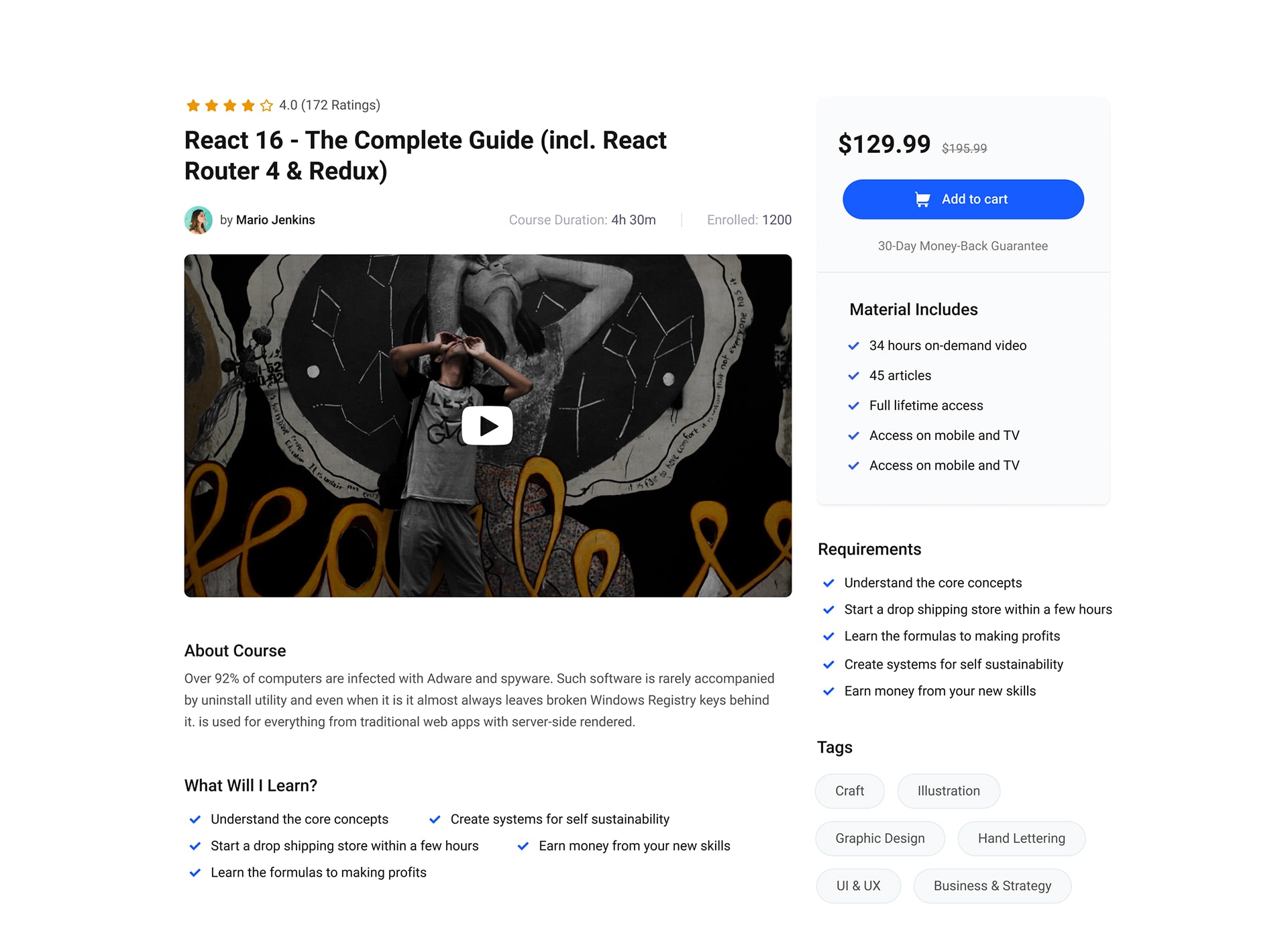
- Create a course page template from scratch.
- Customize each course page design individually.
- 35+ widgets to take care of the linear aspects of the design.
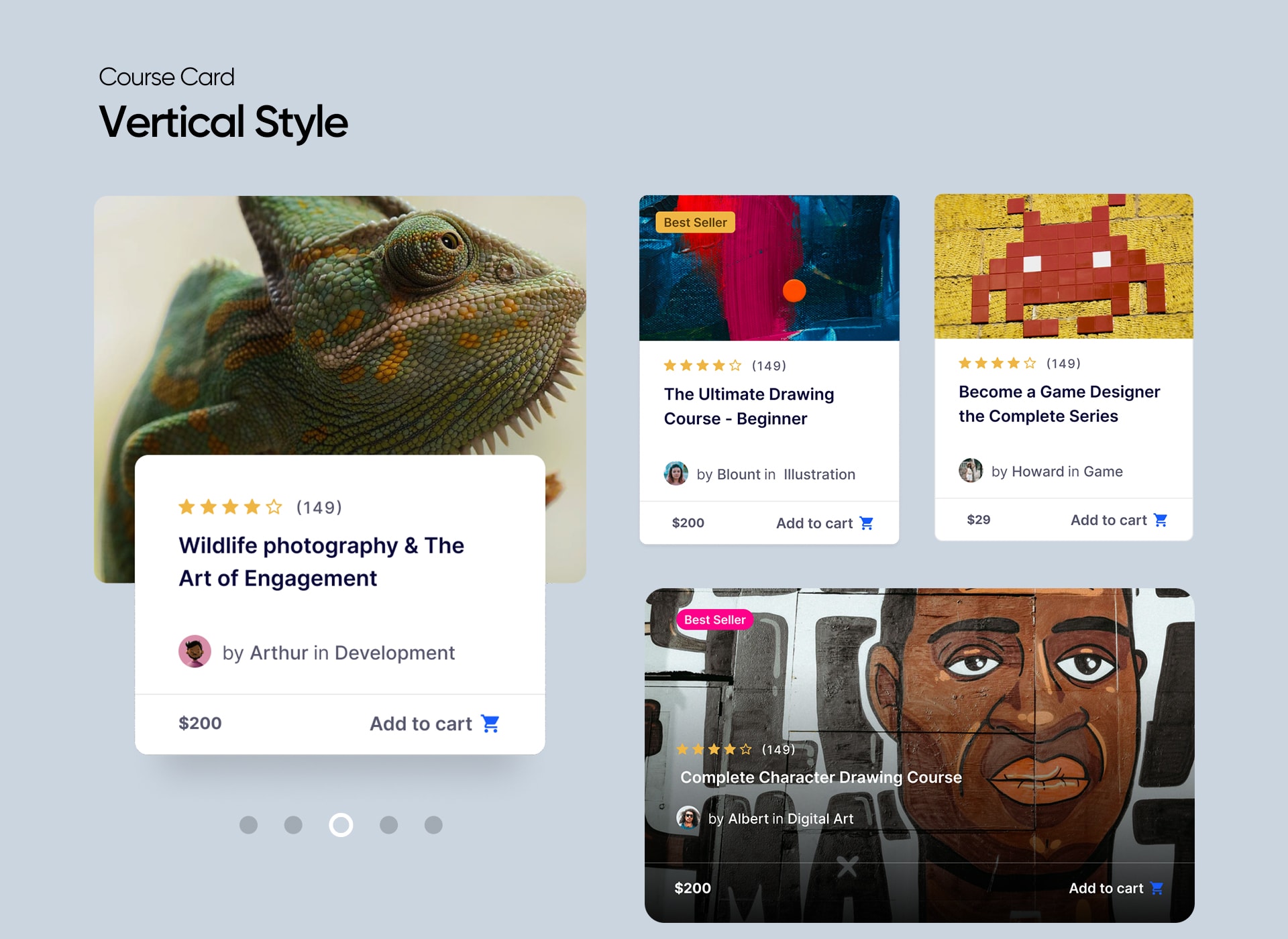
- Insert course carousels in any page you want.
- Choose templates from 4 different course carousel styles.
Prerequisites
Tutor LMS Elementor Addons will ask you to install the following plugins to make sure everything works perfectly.
After installing and activating all of these plugins, you will be able to design course pages with Elementor using all the available widgets. For a more in-depth look at the integration and all it’s nitty-gritty details, please visit our documentation on Tutor LMS – Elementor integration.
Also, please make sure you are using the latest version of all these plugins.
Instructions
✅ Allow Elementor to edit and create courses in the Settings
First, you need to enable editing capability from the Elementor settings.
Go to Dashboard > Elementor > Editor > Settings > General, check the mark on the Post Types you want to edit and create with Elementor. Make sure you’ve selected the following options:
- Courses
- Lessons
- Quizzes
- Assignments
- Bundle
✅ Create a custom course template
To use Elementor to build a custom course template, you need to create your own course template first.
You can do that by heading to your WordPress admin page, and then from the dashboard panel, head to Elementor > Editor > Templates and click on the Add New Template button.
Give the template a name and also make sure to select Tutor LMS Single Course Template and create your custom course page from scratch.
✅ Edit individual course pages differently
If you want to edit each course’s layout separately, navigate to Tutor LMS > Courses and then open any course in editing mode.
Then, from the default editing panel, click on Edit With Elementor to start the Elementor Page builder interface. You will find all the necessary addons to create a single course page from the left sidebar’s Tutor LMS section.
Widgets Inside Tutor LMS Elementor Addons Plugin
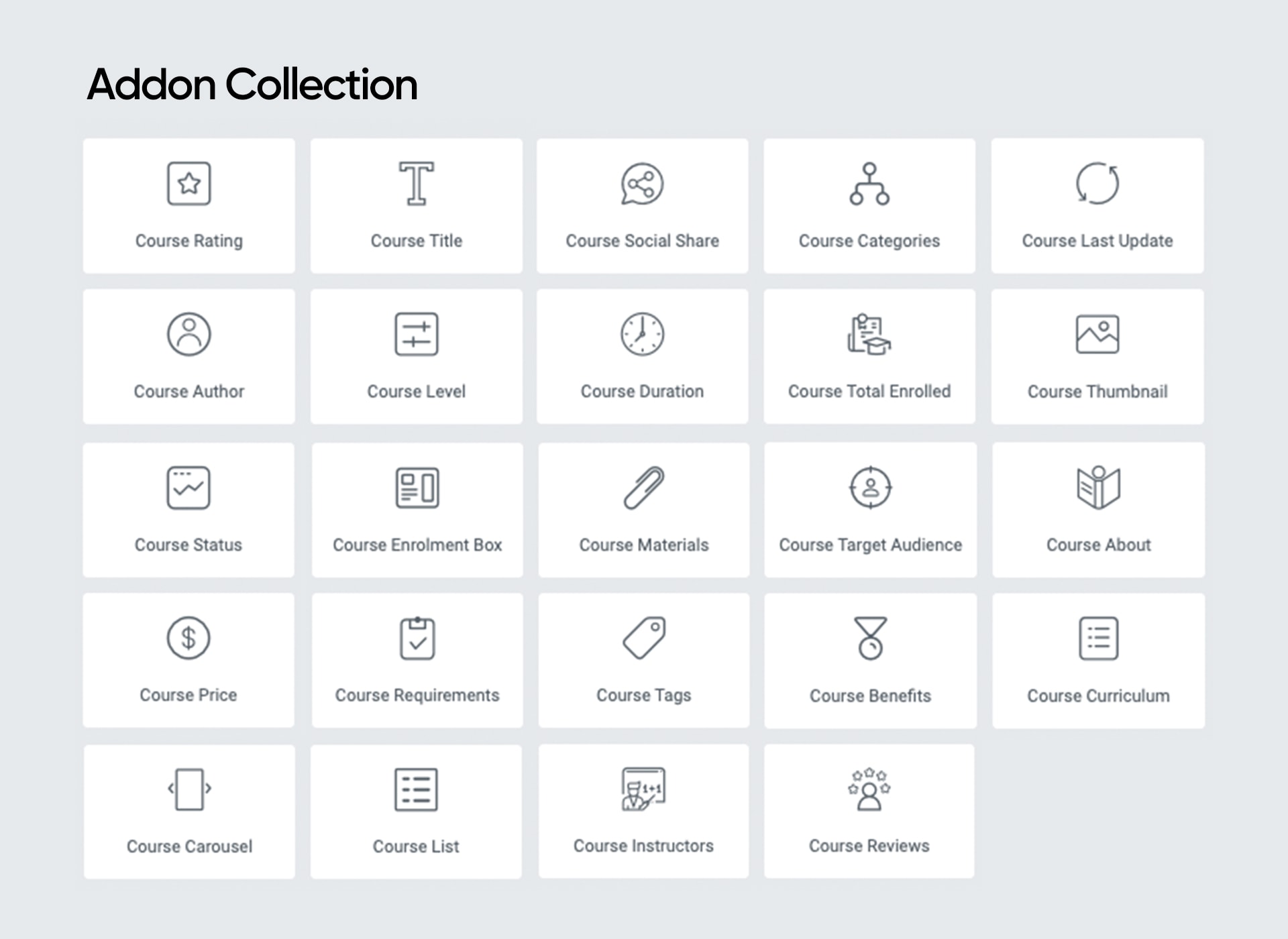
Tutor LMS Elementor Addons currently offers the following Elementor widgets to take control over your eLearning site designs:
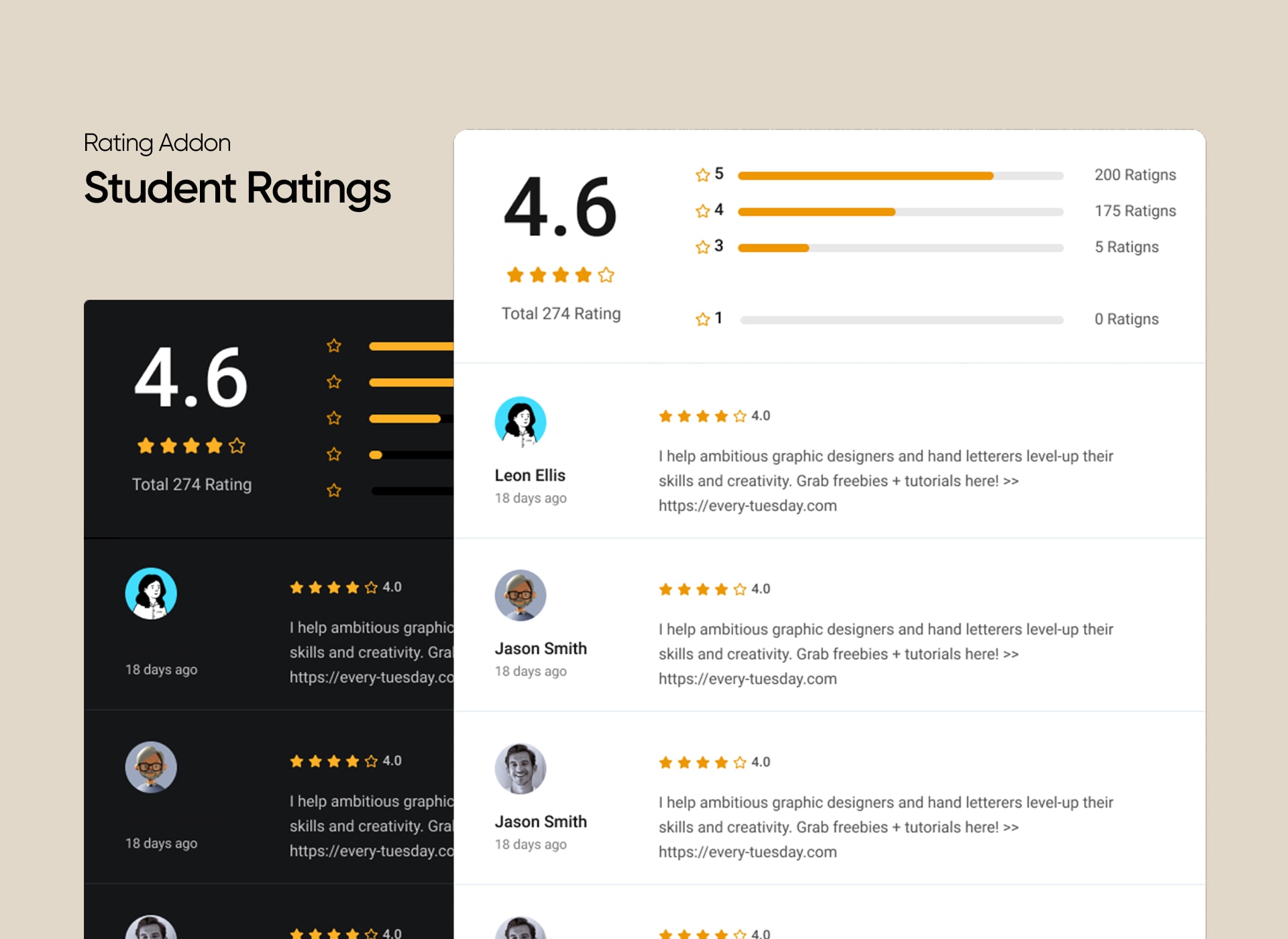
- Course Rating
- Course Title
- Course Author
- Course Level
- Course Social Share
- Course Categories
- Course Duration
- Course Total Enrolled
- Course Last Update
- Course Status
- Course Thumbnail
- Course Price
- Course Enrolment Box
- Course Purchase
- Course Materials
- Course Requirements
- Course Tags
- Course Target Audience
- Course About
- Course Description
- Course Benefits
- Course Content
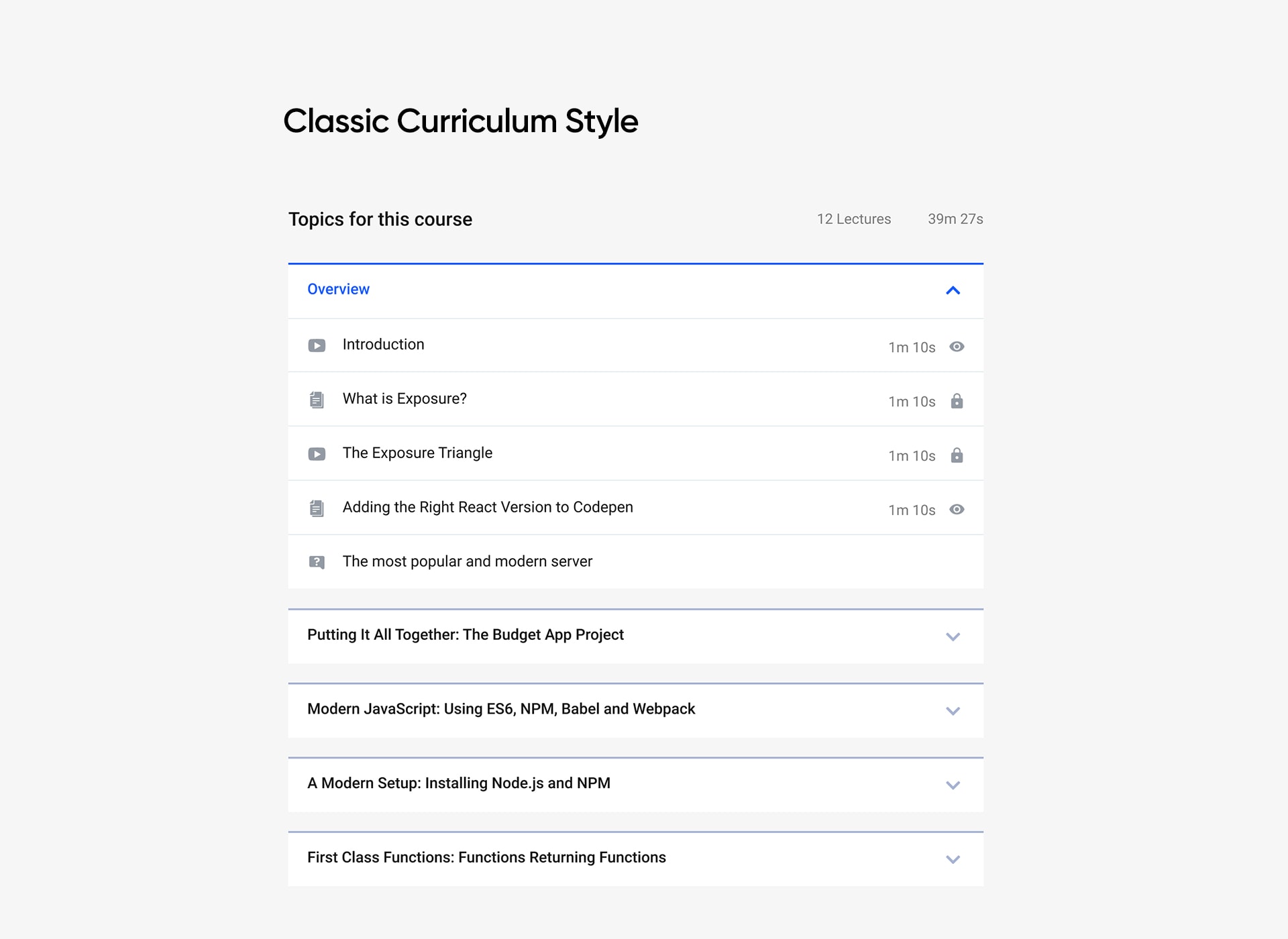
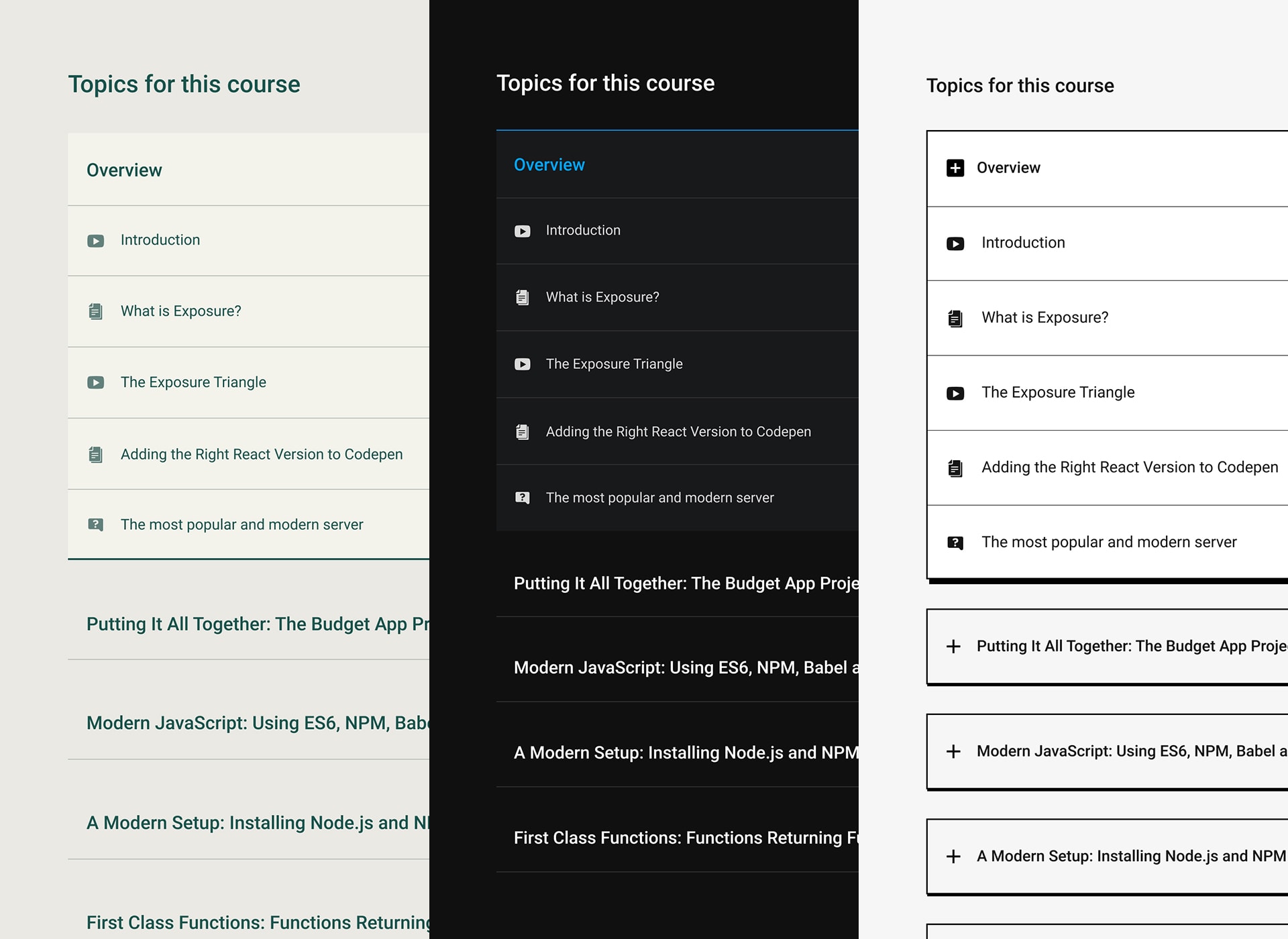
- Course Curriculum
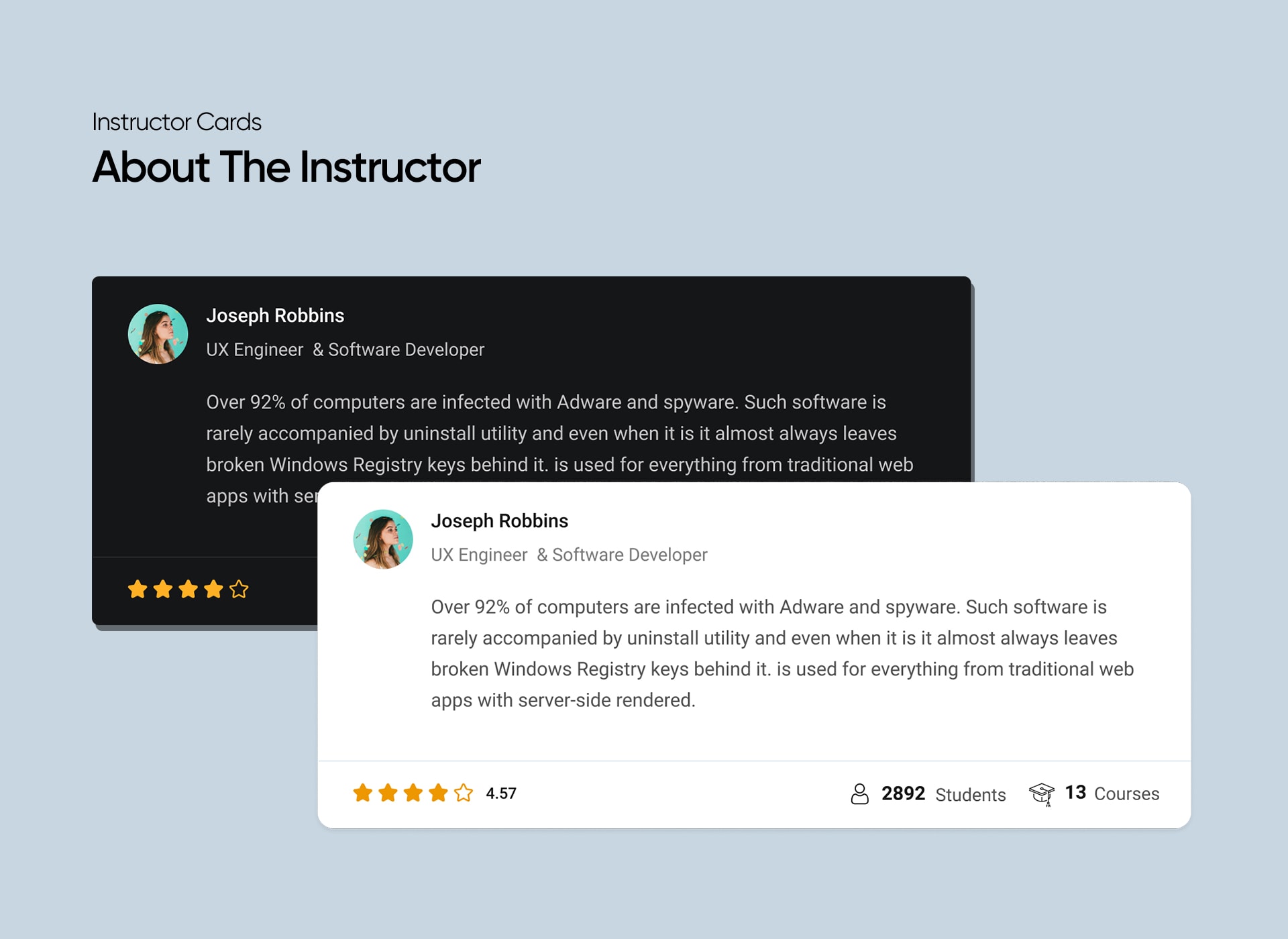
- Course Instructors
- Course Reviews
- Course Carousel
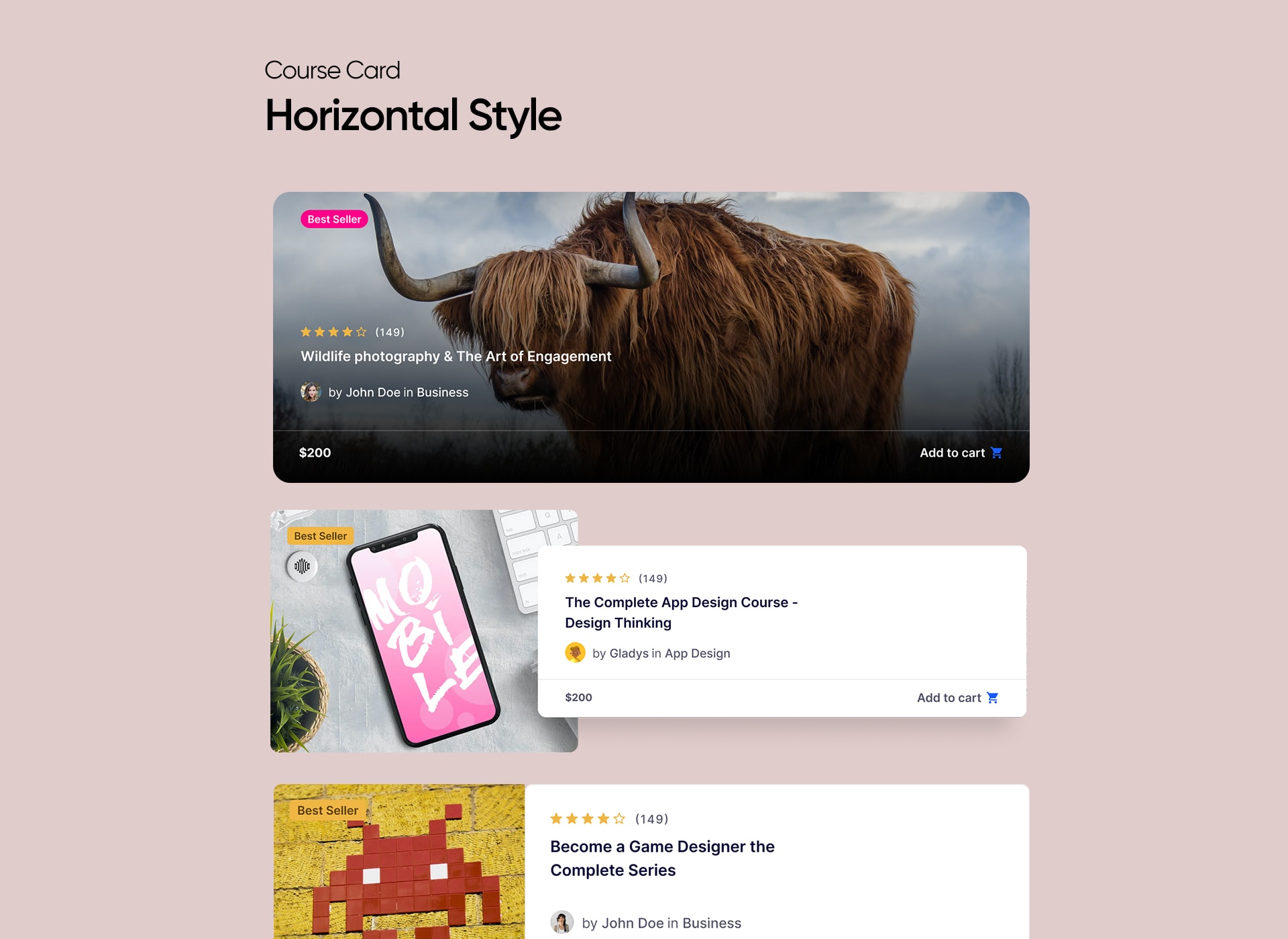
- Course List
- Course Wishlist
- Bundle Title
- Bundle Thumbnail
- Bundle Categories
- Bundle Overview
- Bundle Tags
- Bundle Author
- Bundle Courses
- Bundle Benefits
Screenshots

Installation
Minimum Requirements
- PHP version 5.6.0 or greater (PHP 7.4 or greater is recommended)
- MySQL version 5.0 or greater (MySQL 5.6 or greater is recommended)
Automatic installation
The automatic installation is the easiest way to install any plugin in WordPress.
- Log in to your WordPress dashboard
- Go to Plugins and click Add New
- In the search box, type Tutor LMS Elementor Addons
- Click Install Now to install the plugin and activate the plugin
Manual installation
To install Tutor LMS Elementor Addons manually, you need to download the plugin and upload it to your webserver via any FTP application.
The WordPress codex contains instructions on how to do this here.
FAQ
-
Can I use Elementor with my existing Tutor LMS courses?
-
Yes! You can use Elementor for your existing courses.
-
Do I need the Pro version of Elementor to use this plugin?
-
No, you can use this integration with the free version. Pro version of Elementor is not required.
-
Do I need the Pro version of Tutor LMS to use this plugin?
-
No, you can use Tutor LMS Elementor Addons with the free version of Tutor LMS.
-
Where can I get support?
-
You can get support by posting your issues on the support section of this plugin or use the contact form on our website.
-
Is this plugin free?
-
Yes! This plugin is absolutely free. However, the plugin requires Tutor LMS and Elementor to function.
-
Can I use this with my theme?
-
We have tested the compatibility with almost all the popular themes, and it works completely fine. If you find a conflict or problem with your theme, please inform us, and we’ll resolve this issue for you.
-
How can I request more features?
-
You can post on the support section of this plugin or use the contact form on our website.
Reviews


Contributors & Developers
“Tutor LMS Elementor Addons” is open source software. The following people have contributed to this plugin.
Contributors
“Tutor LMS Elementor Addons” has been translated into 7 locales. Thank you to the translators for their contributions.
Translate “Tutor LMS Elementor Addons” into your language.
Interested in development?
Browse the code, check out the SVN repository, or subscribe to the development log by RSS.
Changelog
4.0.0 – 08 July, 2026
Update: Added compatibility with Tutor LMS v4.
Update: Updated the Social Share module styling to match the new social share modal.
Fix: Fixed the Elementor Addons template redirection issue in the learning area.
Fix: Fixed an error in the Course Carousel and Course List modules.
3.0.2 – 24 February, 2026
Update: Added compatibility with WordPress 6.9.
Fix: Fixed the scheduled course display issue in the course list and carousel addon.
Fix: Fixed lesson content not updating from the course builder after editing in Elementor.
Fix: Patched a reported security vulnerability.
3.0.1 – 29 January, 2025
Update: Updated social share popup settings and styles to align with the new popup design.
Fix: Fixed an issue where the course card displayed duration and enrolled students even when it’s disabled.
Fix: Resolved “template not found” error for paid courses.
Fix: Resolved the issue where bundle categories were not displayed.
Fix: Fixed icon rendering issue in the Course Bundle benefit list.
Fix: Resolved the sale price ribbon error.
3.0.0 – 20 November, 2024
Update: Introduced compatibility with Tutor LMS 3.0
Fix: Resolved multiple security vulnerabilities.
Fix: Adjusted icon sizes across all course modules.
2.1.5 – 16 August, 2024
Fix: Security vulnerabilities
2.1.4 – 24 January, 2024
Update: More security improvement is introduced
Update: WordPress 6.4 compatibility added
Update: PHP 8.1, 8.2 support added
2.1.3 – 18 October, 2023
Update: Added compatibility with the latest version of Tutor LMS
Fix: Course Carousel arrows weren’t visible on the frontend
Fix: Addressed certain translation issues
2.1.2 – 22 September, 2023
Update: Added compatibility with the latest version of Elementor
Fix: Resolved toggle settings issue for course list hover animations
2.1.1 – 17 August, 2023
Fix: Resolved issue with multiple Course List on a single page
Fix: Course Bundle not displaying correctly within the Course Carousel addon
2.1.0 – 9 August, 2023
New: The Course Bundle page is customizable by Elementor
New: Added Bundle Title Elementor widget
New: Added Bundle Thumbnail Elementor widget
New: Added Bundle Categories Elementor widget
New: Added Bundle Overview Elementor widget
New: Added Bundle Tags Elementor widget
New: Added Bundle Courses Elementor widget
New: Added Bundle Author Elementor widget
New: Added Bundle Benefits Elementor widget
New: Added option to make the sidebar sticky on the course bundle and course details page
New: Introducing compatibility with WordPress 6.3
Fix: Bundled courses weren’t showing on the default course list page
2.0.9 – 2 August, 2023
Update: Compatibility with the latest Elementor is introduced
2.0.8 – 6 June, 2023
Fix: Fixed Lesson edit issue, ensuring smooth editing functionality.
Fix: Resolved Add to Cart issue.
Fix: Addressed WPML conflicting issue.
Fix: Resolved language Translation issue.
2.0.7 – 25 January, 2023
Update: Compatibility with the latest Elementor is introduced
Fix: Reviews were appearing twice on the Review widget
2.0.6 – 20 December, 2022
Fix: Course Price style update was not working
Fix: The Documentation & Support Link was wrong on the Plugin’s List page
Fix: Social Share was not working on the Course Details page
Fix: The Course Benefit section Layout Settings was not working in Editor Mode
Fix: The review section style was not working on the Course Details page
Fix: Course Progress was not appearing on the Course Details page
Fix: Course Enrollment Box style was not working
Fix: Course Enrolled Box style was not working
Fix: Course Review Widget Stars were not selectable on the Course Details page when it is used as a Widget
2.0.5 – 1 September, 2022
Update: More security improvement is introduced
2.0.4 – 28 July, 2022
Fix: The Resources tab on the Course Details page was not showing any content if the Page is edited with Elementor
Fix: On the Lesson page the Attachment tab was not showing any content if the Course Details Page is edited with Elementor
Fix: The Review widget was not appearing on the Front-site when editing the Course Details page with Elementor
Fix: The Author Add-on was showing the wrong URL for Instructor Profile
Fix: From the Design settings the Author section is disabled but still, it was appearing in the Front-site
Fix: From the Design settings the Course Benefits section is disabled but still, it was appearing in the Front-site
Fix: The “Benefits” section (What Will You Learn?) on the Course Details page was not matching with the present design of Tutor LMS
2.0.3 – 24 June, 2022
Fix: Sidebar was not appearing while using the Course Curriculum addon
Fix: Course prerequisite was not appearing on the Single Course page
2.0.2 – 02 June, 2022
Update: “Course Curriculum” widget has been re-designed and improved for the Single Course page
Update: Instructor” widget has been redesigned and improved for the Single Course page
Update: Elementor Compatibility is brought for the “Purchase” button of the EDD plugin
Fix: In the “Course List” widget the Login Modal was not appearing for Visitors while the Guest Mode is disabled
Fix: The color of “hours” and “minutes” text of “Duration” in the “Enrollment” widget could not be changed
Fix: The “Prerequisite” section was not appearing while editing a Course with Elementor
2.0.1 – 28 April, 2022
New: Course enrolment add-on now comes with a new toggle button to show/hide the enrolment box
New: Course purchase add-on now comes with a new toggle button to show/hide the purchase box
New: Instructor Bio show/hide control is added on the Course Content & Course Instructor add-ons
New: Button style support is added for the “Add to Cart” button of the EDD Plugin
Update: Price compatibility is added for EDD and WooCommerce plugin
Update: Course Curriculum add-on is now compatible with Tutor 2.0
Update: Course Content styling control is now compatible with Tutor 2.0
Update: Class Selector updated, tab-body-item to tutor-tab-item
Update: Add to Cart selector is updated
Update: Course List Addon design is improved
Update: Course Carousel Addon design improved
Fix: Social Share icon style was showing up in the wrong style
Fix: Text was showing wrong for Add to Cart
Fix: The course Purchase button style was not appearing properly
Fix: Course Carousel style had a design issue
Fix: On the Course Carousel, the Wishlist icon had a design issue
Fix: The course Details Page Wishlist icon had a design issue
Fix: _register_controls was showing a deprecated warning
Fix: The course Curriculum header title style was not working
Fix: About Course content style was not working
Fix: Wishlist was not clickable on overlay Skin
Fix: Guest checkout was not working
2.0.0 – 15 March, 2022
New: Introducing compatibility with WordPress 5.9
New: Full compatibility with Tutor LMS 2.0
New: New Tutor LMS Elementor add-on for course content
New: New Tutor LMS Elementor add-on for course wishlist
New: New Tutor LMS Elementor add-on for course purchase
Update: Course requirement title doesn’t show up now without description
Update: Course materials title doesn’t show up now without description
Update: Target audience title doesn’t show up now without description
Fix: Pagination on course listing page redirected to course archive page issue
1.0.3 – 27 May, 2021
Fix: Course attachment not showing
Fix: Deprecated: Elementor\Scheme_Typography is deprecated since version 2.8.0! Use Elementor\Core\Schemes\Typography instead.
1.0.2 – 23 March, 2021
Fix: Addon layout and alignment issue on mobile view
Fix: Now you can add the same addon multiple times on a page
Fix: Course carousel addon were not working in RTL mode
Fix: Course about addon duplicate echo issue
1.0.1 – 08 January, 2021
New: Query Filters on the Course List and Carousel Addons
1.0.0 – 04 January, 2021
Initial Release