
Description
👑 Get Pro | Live Demo | Documentation | Support
WP Easy Pay – Square for WordPress Plugin: Integrate Square with WordPress to Collect Payments
Create your custom Square payment and Donation form in WordPress with ease!
Are you searching for a quick and reliable way to accept Square Payments using a Square Payment Form for WordPress?
👉 Download WP Easy Pay to start accepting Square Payments!
Having received a lot of 4 out of 5-star reviews, WP Easy Pay enables website owners to accept credit card payments, digital wallets like Google Pay, Apple Pay, Cash App, Afterpay, ACH Payments, Square Gift Card and more. 💳💸
With WP Easy Pay, you can build a secure Donation Form or Square Payment Form using an intuitive Payment Form Builder, without writing a single line of code.
Wait, there’s more to this powerful Payment Form Builder for creating high-converting Donation Forms! 😃👇
This recurring payment and donation form plugin for WordPress helps businesses simplify digital payment solutions.
If you’re looking to collect donations or manage subscriptions, WP Easy Pay lets you create a high-converting Donation Form and accept Square Payments seamlessly.
What is WordPress Payment Form, and Why Do You Need it?
A Payment Form Builder allows you to create a Square Payment Form for WordPress that securely processes payments directly on your website. By integrating with PCI-compliant payment gateways like Square, PayPal, or Stripe, these forms enable businesses to collect payments directly through their website without redirecting customers to external sites.
With a flexible Payment Form Builder, you can create a Donation Form, enable subscriptions, and accept Square Payments for events and products. Additionally, add custom fields, designs, and payment options that align with your brand to enhance the user experience.
⚡ Benefits of Having a Payment Form on Your Website
Using a Payment Form Builder to create a custom Square Payment Form or Donation Form offers numerous advantages:
✅ Increased Conversion Rates: Using a streamlined Square Payment Form reduces form abandonment and improves conversions for your WordPress payment forms.
✅ Improved User Experience: An intuitive Square Payment Form for WordPress created with a smart Payment Form Builder minimizes steps and improves user experience.
✅ Flexible Payment Options: WP Easy Pay allows you to offer custom payments, fixed amounts, and recurring subscriptions, which gives customers the flexibility to choose how they pay.
✅ Secure Online Transactions: With features like PCI compliance payment gateway, SCA (Strong Customer Authentication), and CAPTCHA, WP Easy Pay enables secure online transactions, reducing the risk of fraudulent payments.
✅ Improved Business Credibility: A branded and professional-looking payment form builds trust with customers, ultimately benefiting your business’s reputation and credibility.
✅ Real-time Payment Processing: Payments are processed instantly, providing quick confirmation for both you and the customer, ensuring a fast and efficient experience.
✅ Multiple Payment Options: WP Easy Pay allows multiple payment options, including Google Pay, Apple Pay, CashApp, Afterpay, ACH payments, credit, debit cards, and Square Gift Cards.
⚡ Key Features That Our Users 💜 About WP Easy Pay
WP Easy Pay offers tons of features that are designed for all kinds of online payments. Here’s a breakdown of the features that make this Square WordPress plugin an essential tool for any WordPress site:
✅ Custom Payment Amounts
Allow users to enter a custom amount, making this feature ideal for donation forms, tipping, or custom service payments.
✅ Fixed Payments
Set fixed pricing inside your Square Payment Form to standardize Square Payments without confusion.
✅ Recurring Payments (PRO)
This recurring payment plugin for WordPress enables subscription-based transactions, which are perfect for membership sites, regular donations, or any service with repeat billing.
✅ Subscription Management (PRO)
This feature allows you to view, manage, and adjust your customer’s subscriptions easily with a detailed subscription report, which adds flexibility and control for recurring payments.
✅ Multi-Step Payment Form (PRO)
WP Easy Pay’s multi-step payment form for WordPress guides users through each part of the payment process step-by-step, reducing confusion and improving completion rates.
✅ Square Product Sync (PRO)
Connect your Square POS inventory to your WordPress payment forms. This feature automates the process of adding products, saving you from manual entry.
✅ Square Gift Card (PRO)
Integrate Square Gift Card payments into your forms and provide a convenient checkout experience for your customers.
✅ Secure Sandbox Testing
Test your Square Payment Form for WordPress in a secure sandbox before accepting real Square Payments.
✅ Square Connection Logs and Alerts
Monitor your Square account connection status with detailed logs and email alerts. Know when the connection fails so you can reconnect in time and keep payment processing seamless in your WordPress forms.
✅ Digital Wallet Support
Accept Square Payments via Google Pay, Apple Pay, Cash App, and Afterpay directly through your Square Payment Form.
✅ Gutenberg Shortcode Block
Easily embed WP Easy Pay forms on any page or post using Gutenberg blocks that make the setup process simple and straightforward.
✅ CAPTCHA Security (PRO)
Protect your payment forms from spam and bots by enabling CAPTCHA v2 and v3 to ensure only legitimate users interact with your forms.
✅ Customizable Thank You Page
Enhance your Donation Form or Square Payment Form by redirecting users to a personalized thank-you page after successful Square Payments.
✅ SCA and PCI Compliance
WP Easy Pay adheres to Strong Customer Authentication (SCA) requirements and PCI compliance protocol via Square, which adds an additional layer of security for payments.
✅ Date and Time Fields (PRO)
Easily integrate the calendar into your payment form, which makes it easy to accept payments for bookings or scheduled services.
✅ Upload Field Support (PRO)
Allow users to upload necessary documents or files as part of their payment submission, which is ideal for service-based industries.
✅ Detailed Transaction Receipts (PRO)
Automatically send transaction receipts to both admins and customers, which provides transparency and confirmation for each payment.
✅ OAuth Square Connection
Easily connect your Square account to WP Easy Pay through a secure OAuth process that ensures a simple and safe integration.
✅ Redirect on Success
After payment, redirect customers to any URL of your choice, perfect for upsell pages, additional resources, or thank-you messages.
✅ Customizable Form Layouts
Customize your Square Payment Form for WordPress with flexible layouts using an advanced Payment Form Builder.
✅ Flexible Currency Settings
This multi-currency feature lets you cater to international customers, adapting WP Easy Pay to global markets.
Use WordPress Payment Form the Way You Want! 😃
Following are a few popular use cases for WP Easy Pay payment forms that show how versatile this plugin can be:
Use Case 01: E-commerce Product Sales
✔️ Sell single products with fixed prices.
✔️ Set up custom or variable prices for personalized orders.
✔️ Offer one-time or recurring billing options.
Use Case 02: Service Bookings and Appointments
✔️ Accept payments for deposits or service charges.
✔️ Include a date and time selector for booking confirmations.
✔️ Use upload fields to collect necessary documents.
Use Case 03: Fundraising and Donations
✔️ Enable custom donation amounts or set suggested amounts.
✔️ Display a progress bar to show donation goals.
✔️ Redirect donors to a thank-you page after successful contributions.
Use Case 04: Membership or Subscription Services
✔️ Offer recurring billing for memberships or subscriptions.
✔️ Provide subscription management for users.
✔️ Track all recurring payments within your WP Easy Pay dashboard.
Use Case 05: Educational Courses and Events
✔️ Sell event tickets or course registrations.
✔️ Allow participants to choose custom payment plans.
✔️ Use form customization for participant information collection.
06 Key Reasons to Use WP Easy Pay
Reason 01: Seamless Square Integration
☑️ Create a reliable Square Payment Form for WordPress and accept secure Square Payments with direct Square integration.
☑️ Supports Square’s Sandbox mode, allowing you to test payment forms without affecting live transactions.
☑️ Includes OAuth integration for an easy and secure setup with your Square account.
☑️ Seamlessly syncs products from your Square POS, allowing you to add and manage items within your payment forms easily.
Reason 02: Effortless Form Customization
☑️ Customizable form builder with drag-and-drop functionality, making it easy for anyone to create and edit forms.
☑️ Pre-designed templates and amount layout options to help you create aesthetically pleasing forms.
☑️ Multi-step form layouts guide users through complex transactions step-by-step, reducing drop-offs.
☑️ Allows you to add custom fields and upload options, enabling you to gather any required customer information.
Reason 03: Comprehensive Subscription Management
☑️ Enables recurring billing with flexible options like weekly, monthly, or yearly payments.
☑️ Offers the ability to pause and resume subscriptions, giving you added flexibility.
☑️ Subscription reporting lets you track parent and child transactions, ensuring all payments are accounted for.
☑️ Easily manage and review individual subscription details, including customer data and transaction history.
Reason 04: Enhanced User Experience
☑️ Multi-step forms organize information in a logical flow, reducing complexity for users.
☑️ The option to add date and time fields with calendar support—ideal for booking appointments.
☑️ Dynamic product quantity adjustment allows users to see real-time price changes based on quantity selection.
☑️ Intuitive design and pre-validated fields ensure forms are error-free and easy to complete.
Reason 05: Advanced Reporting and Data Exporting
☑️ Access detailed transaction reports for better insights into your sales and customer activity.
☑️ Export transaction data with customizable fields, perfect for accounting and record-keeping.
☑️ Filter reports by transaction type, date, or customer, making it easy to find specific data quickly.
☑️ Email notifications with transaction IDs ensure you and your customers receive real-time updates on payments.
Reason 06: Better Security and Spam Prevention
☑️ Built-in Google ReCaptcha integration helps prevent spam and ensures only genuine transactions.
☑️ PCI-compliant payment processing meets industry standards for handling sensitive data securely.
☑️ Enforce SSL-encrypted transactions, adding an additional layer of security for your customers.
☑️ Provides role-based access controls, ensuring that only authorized team members can view payment details.
🚨 Requirements for Installing WP Easy Pay
Before installing WP Easy Pay, make sure your setup meets these requirements:
-
WordPress Version: 4.5.0 or higher
-
PHP Version: 7.0 or higher
-
Square Account: An active Square account is required for integration.
-
SSL Certificate: An SSL certificate is mandatory to ensure secure payment processing.
NOTE: Remember that Square is only available for businesses located in the U.S., Canada, U.K., Australia, Japan, Ireland, France and Spain.
Try Our Other Awesome WordPress Plugins
-
Post SMTP – Reliable WordPress email delivery plugin with detailed email logs and multiple SMTP integrations.
-
Gutena Forms – Create modern, responsive contact forms directly in the Gutenberg block editor. Add advanced fields, protect against spam with reCAPTCHA and Cloudflare Turnstile, manage form entries, and more.
-
Advanced File Manager – Easily manage and organize your WordPress files directly from the dashboard.
-
myCred – Add gamification, rewards, ranks and points management systems to your WordPress website.
-
New User Approve – Control user registrations by manually approving or denying new signups.
-
Password Protected – Secure your WordPress site, posts, pages, and categories with simple password protection.
-
WP Experts WooCommerce Store – Explore premium WooCommerce plugins and solutions by WPExperts.
-
WC Shop Sync – Add Square payments and Sync WooCommerce products, customers, and orders with your Square POS.
-
Bookify – Your go-to online bookings and appointment scheduling plugin for WordPress.
-
All In One Login – Secure your WordPress login page, change the wp-login.php url, and add Google, Facebook, Microsoft, and LINE, and other social logins to your WordPress site.
-
CF7 Apps – It allows you to add honeypot, hCaptcha, and Database entries to the Contact form. Our team is constantly adding new Contact Form 7 extensions.
🚨 Need Help? Get Expert Assistance on Demand!!!
Have questions or need help? Reach out to our dedicated support team for any assistance. WP Easy Pay offers reliable support through a dedicated team that is ready to assist with any setup, configuration, or troubleshooting needs. 🙂🎉
Our customer support ensures you have the guidance necessary to maximize the plugin’s potential, including integration with other WordPress tools or custom adjustments to fit your payment form’s design.
💡 Privacy Policy
We are committed to upholding high standards of data privacy and security, aligning with Square’s PCI compliance protocols. All payment details are handled directly through Square’s secure APIs, ensuring that sensitive payment information is never stored on your website, reducing the risk of data breaches.
WP Easy Pay also adheres to GDPR compliance, assuring that user data is handled in line with the latest regulations. For further details, please refer to our full privacy policy here.
✅ Please note: Square’s standard transaction fees apply.
Our Branding Guidelines
We’re glad you’re using and sharing WP Easy Pay! To keep our branding consistent, please use the correct name format when mentioning the plugin.
- WP Easy Pay (correct)
- WP EasyPay (incorrect)
- WP Easypay (incorrect)
- Wp Easy Pay (incorrect)
- WP easy pay (incorrect)
- WP-Easy-Pay (incorrect)
- Easy Pay (incorrect)
- EasyPay (incorrect)
Screenshots
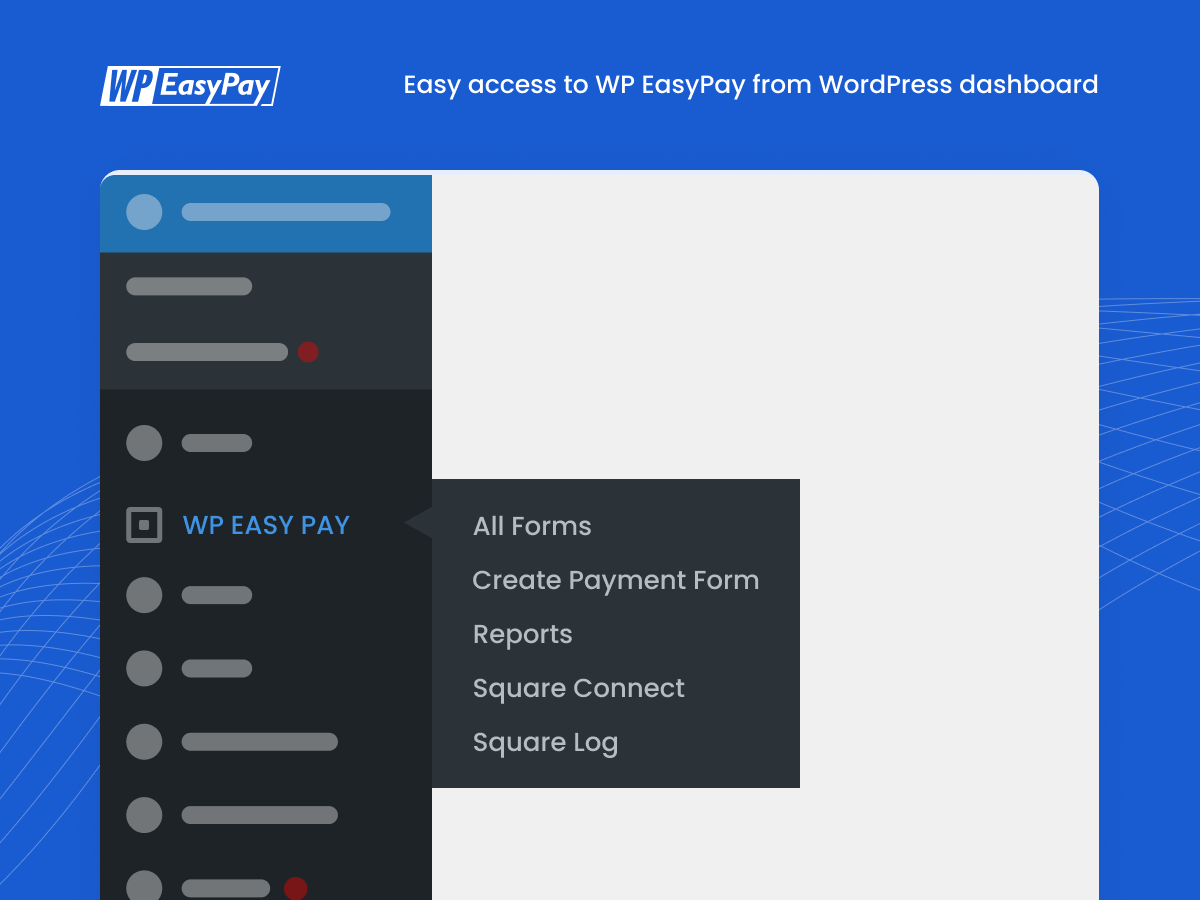
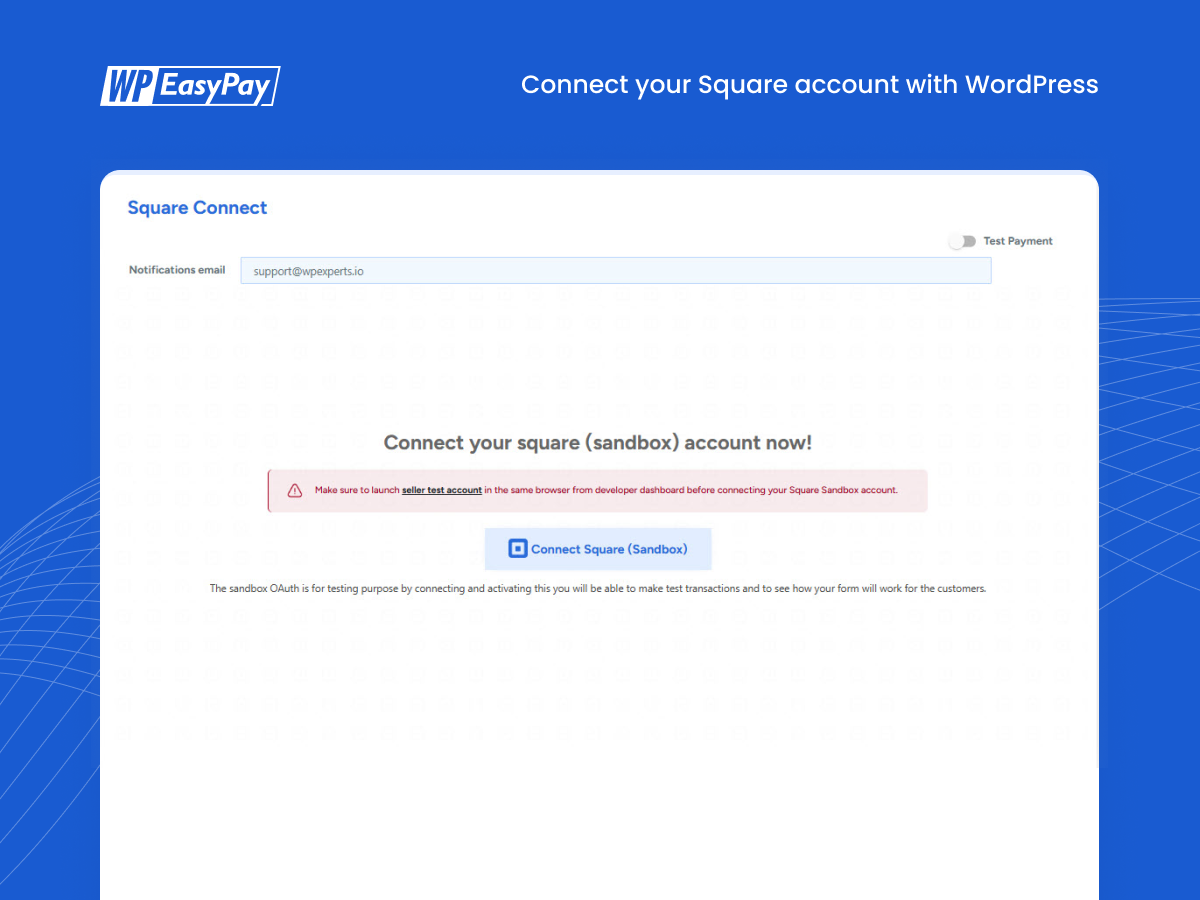
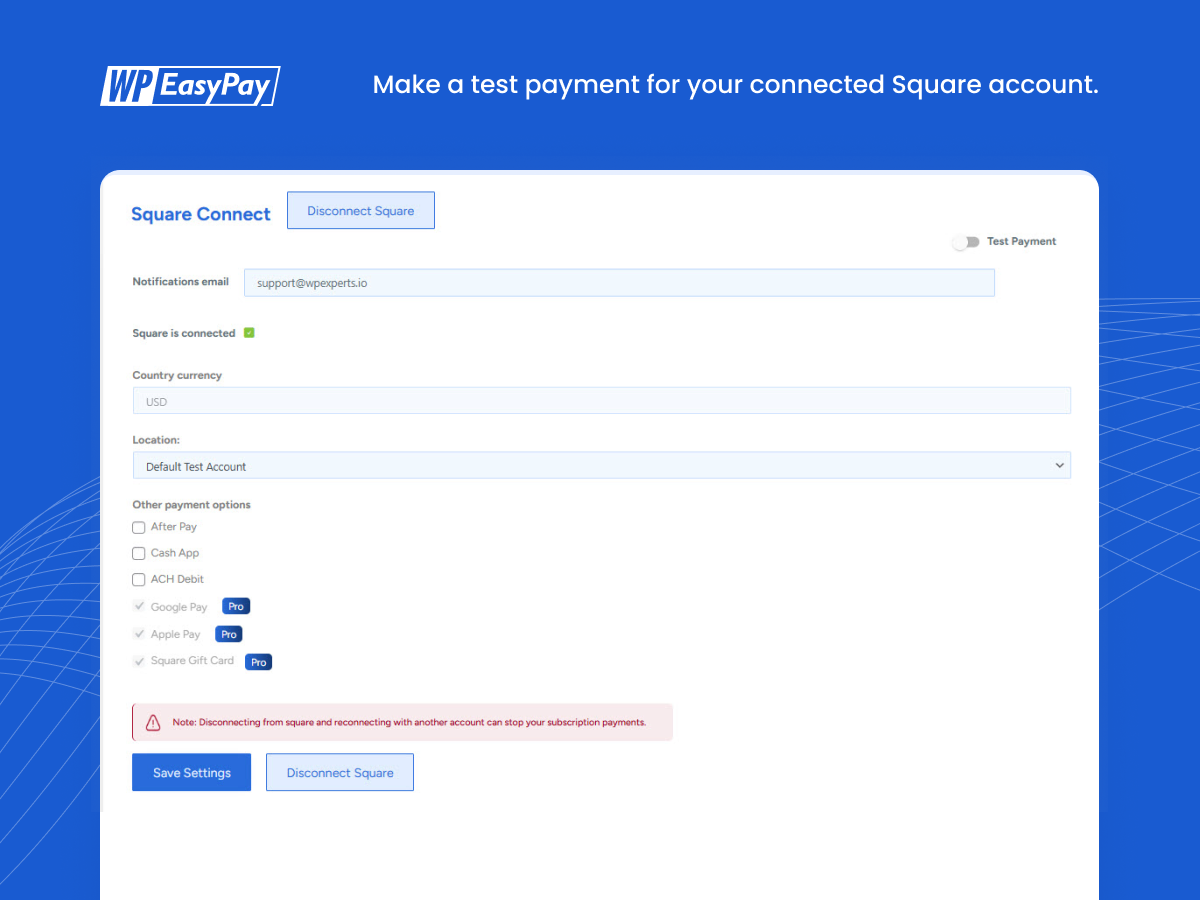
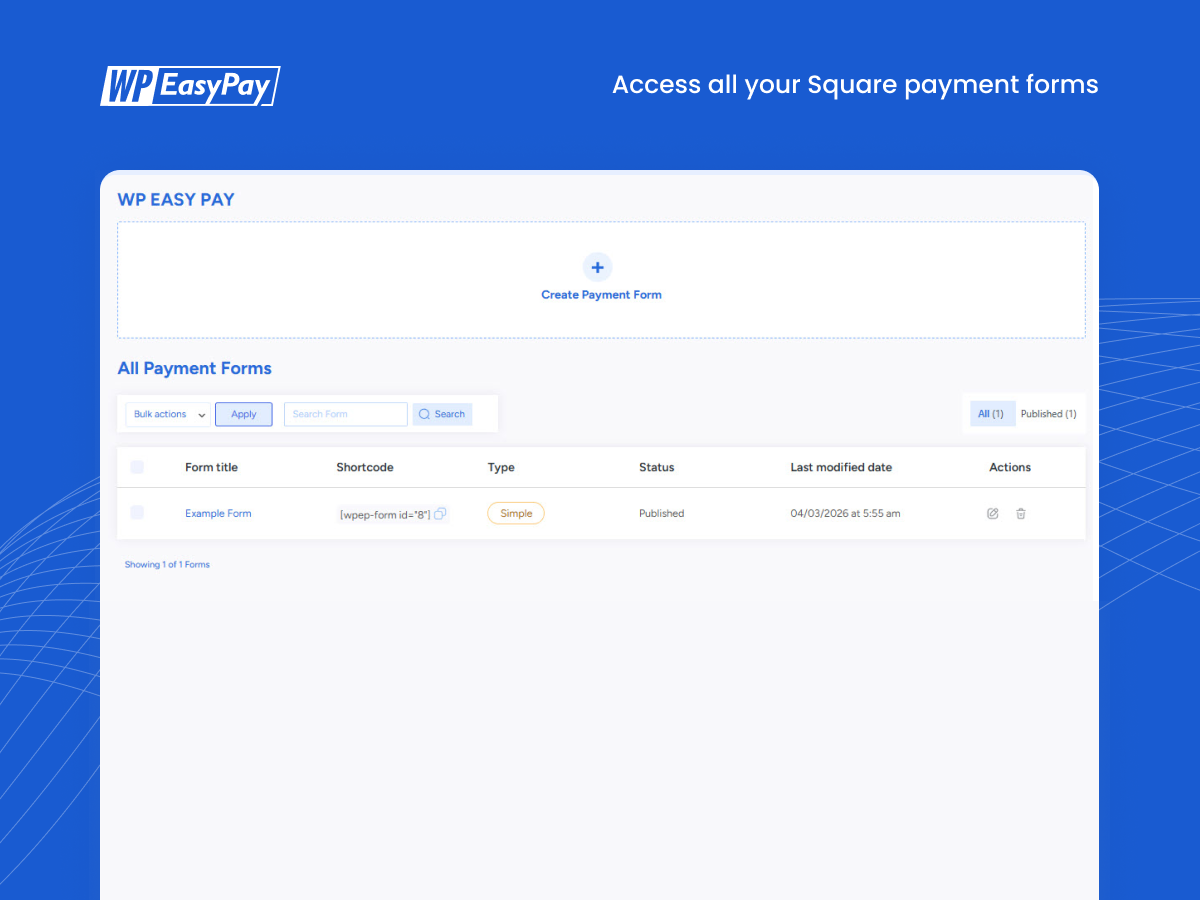
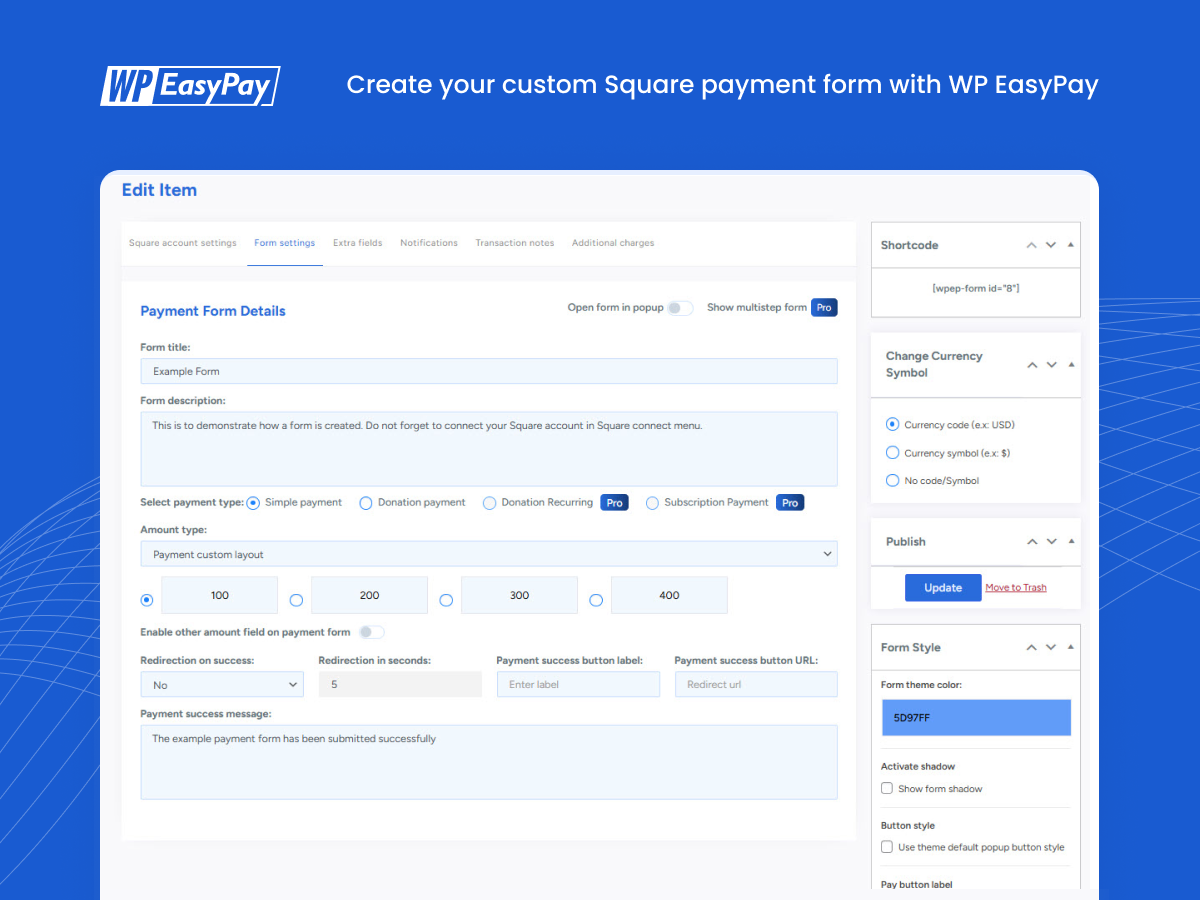
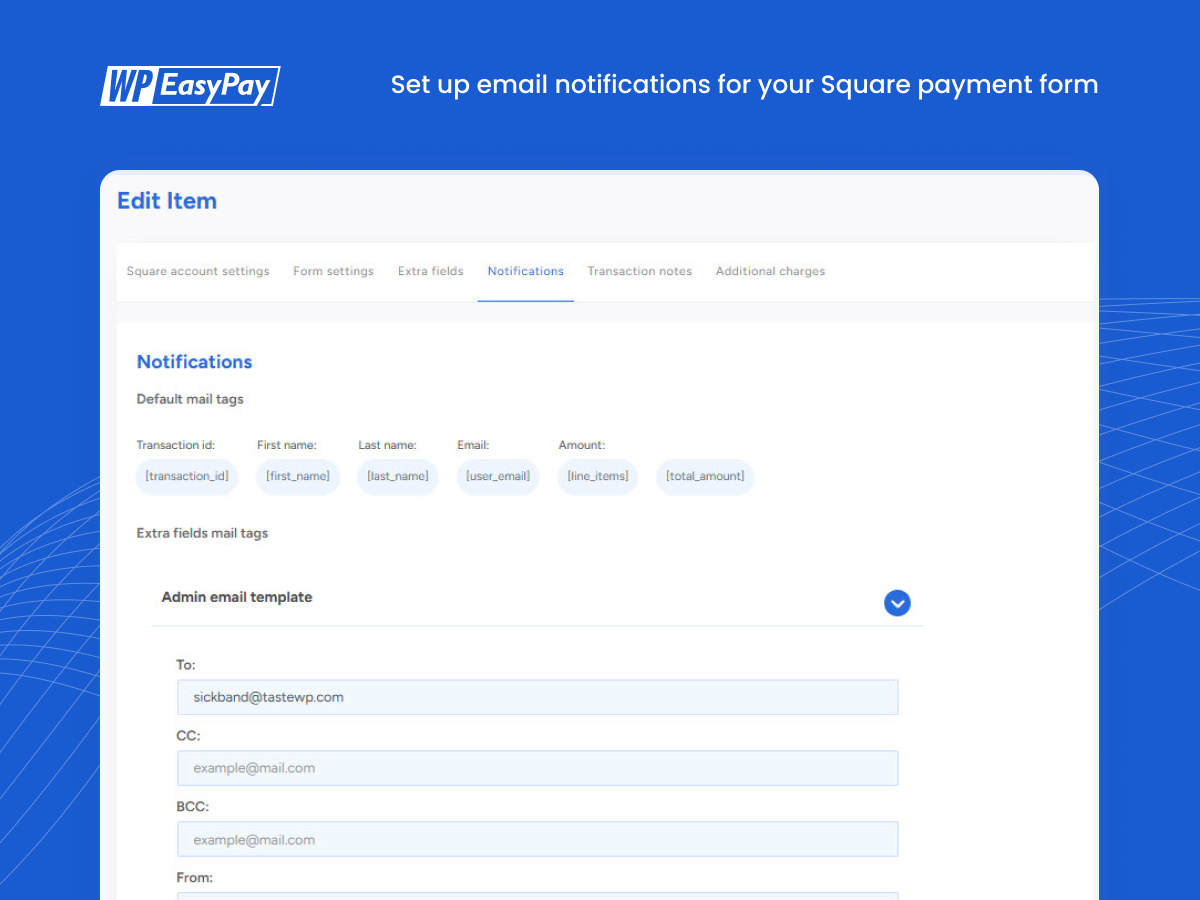
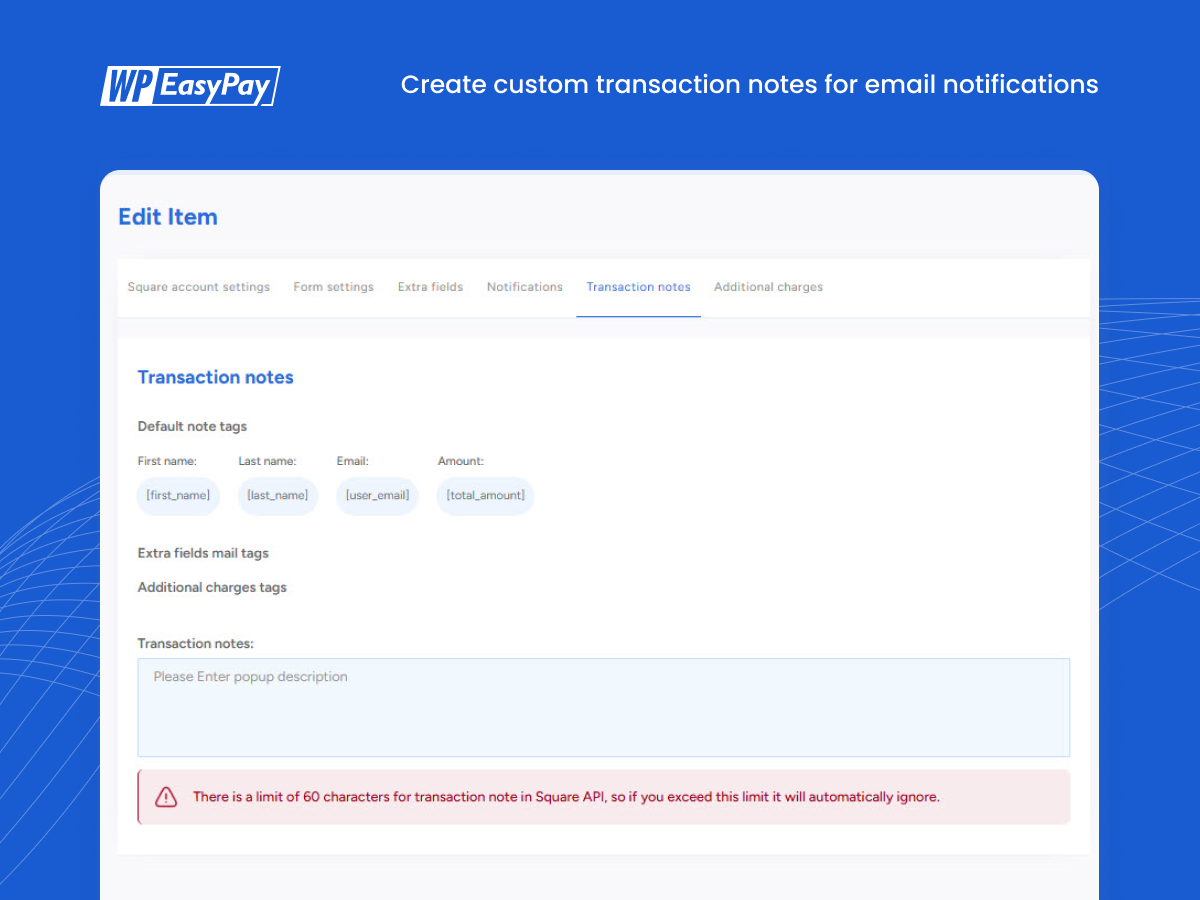
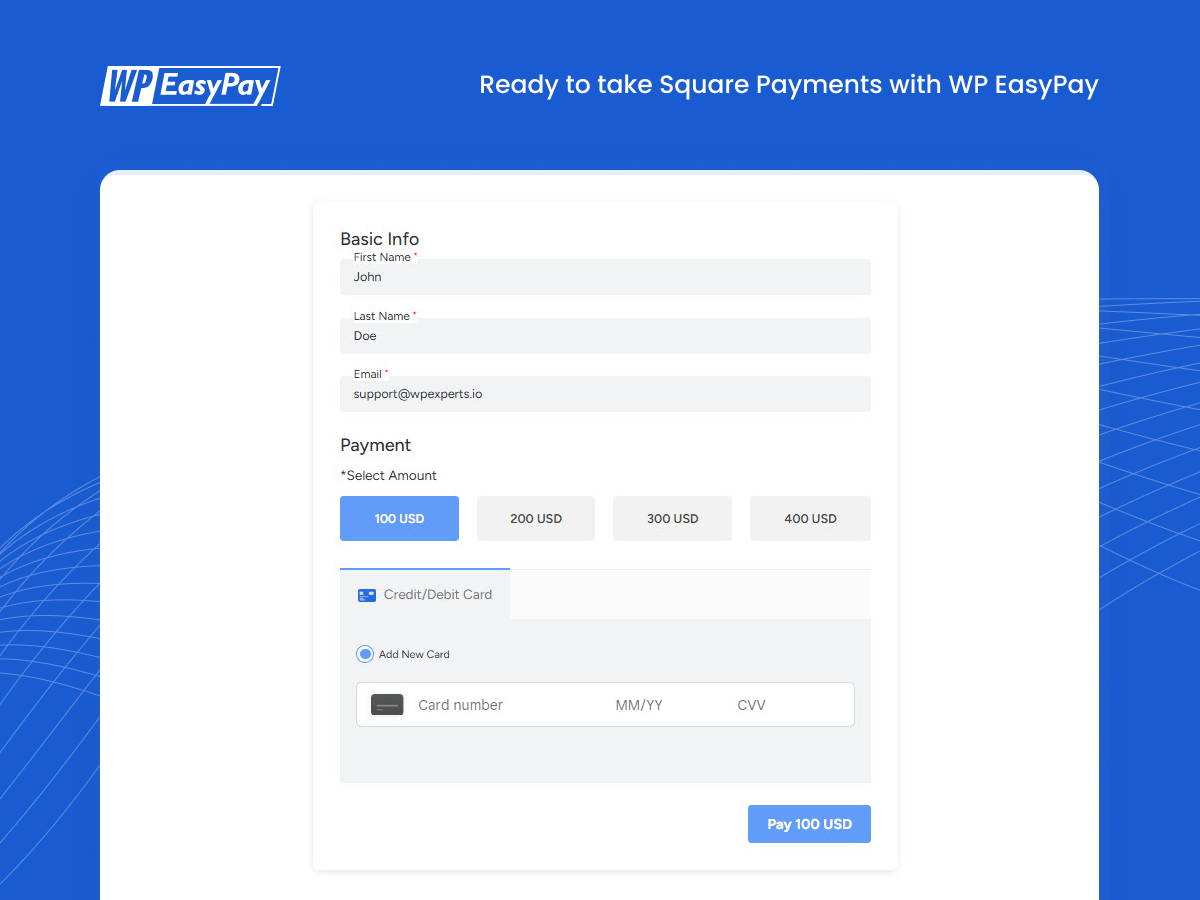
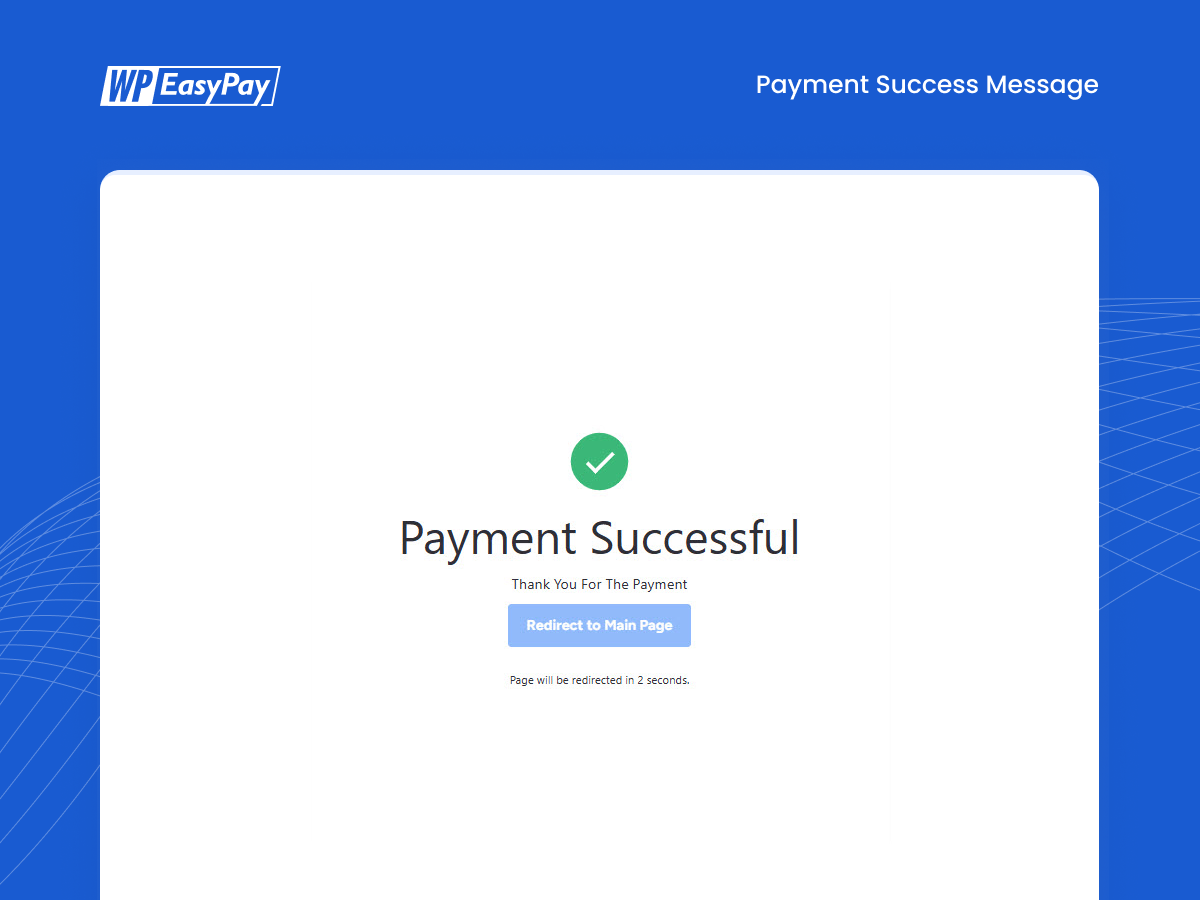
Blocks
This plugin provides 1 block.
- WP Easy Pay Form
FAQ
-
What is WP Easy Pay?
-
WP Easy Pay is a WordPress plugin that enables seamless integration with Square, allowing users to create customized payment forms and accept payments directly on their websites. It’s ideal for one-time and recurring payments.
-
Can Square be used on WordPress?
-
Yes, you can integrate Square with WordPress using plugins like WP Easy Pay. This integration lets you accept secure Square payments using a custom payment form.
-
How do I add Square to my Website?
-
Install and activate WP Easy Pay on your WordPress site, connect your Square account, and configure the settings. Then, create a payment form and use the shortcode or Gutenberg block to display it on your website.
-
What Payment Methods Does WP Easy Pay Support?
-
WP Easy Pay supports credit card payments through Square, along with digital wallet options such as Google Pay, Apple Pay, and Afterpay making it convenient for users who prefer mobile and wallet-based transactions.
-
What do you mean by no transaction fees?
-
WP Easy Pay does not add any additional transaction fees on top of your plan. Standard Square processing fees still apply when you accept payments through their service.
-
Will Square charge any fees?
-
Square may charge you a processing fee depending on their Terms of Services (ToS). Please check Square’s website for more details.
-
Is WP Easy Pay Compatible with All WordPress Themes?
-
Yes, WP Easy Pay is designed to work seamlessly with most modern WordPress themes. If you encounter any display issues, our support team is available to assist you.
-
Can I Use WP Easy Pay for Subscription Payments?
-
Absolutely! WP Easy Pay supports recurring payments, making it ideal for businesses offering subscription-based services. On top of that, you can manage subscriptions directly from the website.
-
How Does WP Easy Pay Ensure Payment Security?
-
WP Easy Pay leverages Square’s SCA and PCI compliance infrastructure for secure payment processing. With features like CAPTCHA and SSL encryption enforcement, WP Easy Pay provides a robust layer of protection for all transactions.
-
Can I sync products directly from my Square account to my payment forms?
-
Yes! The Square Product Sync feature allows you to seamlessly search for and add simple products from your Square Item Library directly into your WP Easy Pay forms.
-
Can I accept Square Gift Cards as a payment method?
-
Yes, you can! Just enable Square Gift Cards as a payment method directly within the WP Easy Pay form settings, and your customers are good to use their gift cards at checkout.
-
Can a customer use a gift card for a partial payment?
-
No. The gift card must be used for the full amount of the transaction. Partial payments are not supported.
-
What Are the Regional Restrictions for WP Easy Pay?
-
Currently, WP Easy Pay is available for businesses in the U.S., Canada, the U.K., Australia, Japan, Ireland, France, and Spain, where Square services are supported.
-
Is There a Sandbox Mode for Testing?
-
Yes! WP Easy Pay includes a sandbox mode, allowing you to test all functionalities before going live. This feature ensures that you can optimize your setup without any risk to real transactions.
-
Where do I report security bugs found in this plugin?
-
Please report security bugs found in the source code of the undefined plugin through the Patchstack Vulnerability Disclosure Program. The Patchstack team will assist you with verification, CVE assignment, and notify the developers of this plugin.
Reviews


Contributors & Developers
“WP Easy Pay – Payment and Donation form Builder for Square” is open source software. The following people have contributed to this plugin.
Contributors

Translate “WP Easy Pay – Payment and Donation form Builder for Square” into your language.
Interested in development?
Browse the code, check out the SVN repository, or subscribe to the development log by RSS.
Changelog
= 4.3.0 – 03/24/2026
Add- Square Connection Logs
Improvement – plugin settings UI.
Fixed – Form Email Validation.
Fixed – A vulnerability reported by Patchstack
= 4.2.12 – 02/03/2025
Improvements – Enhanced security measures
Fixed – Minor support-related fixes and improvements.
4.2.11 – 12/09/2025
Update – Tested with WordPress version 6.9
Improvement – Updated Freemius SDK to the latest version.
Improvement – Optimized code for better performance.
4.2.10 – 04/24/2025
Update – Payment OnTokenization Square Update.
Fixed – Pay button not showing on form issue fixed.
Improvement – Optimized code for better performance.
= 4.2.9 – 01/27/2025
Improvement – Updated Freemius SDK to the latest version.
4.2.7 – 12/16/2024
Fixed – Resolved console error: “OnTokenization” ACH payment
4.2.6 – 11/13/2024
Improvement – Optimized code for better performance.
Updated – Integrated SDK for enhanced functionality and improved update handling.
Fixed – Resolved console error: “Listener added for a ‘DOMSubtreeModified’ mutation event,” which was unsupported and triggered in Edge, Chrome, and Firefox.
4.2.5 – 04/09/2024
Improvement – Added a notice for square sandbox authorization.
Fixed – Live connect Square Oauth issue.
4.2.4 – 04/07/2024
Improvement – add a capability check current_user_can( WordFence )
4.2.3 – 24/06/2024
Improvement – Added conditional based digital wallet initialization
Fixed – Vulnerability reported by WordFence team
Fixed – Deprecated warnings in the Square Connect module
Fixed – After Pay not initializing on default custom payment
Fixed – After Pay shows the wrong error on the USD currency
4.2.2 – 02/04/2024
Improvement – Code Optimization
4.2.1 – 07/09/2023
Improvement – Remove extra files
Improvement – Code Optimization
4.2 – 27/07/2023
Fixed – Bug fixes
Improvement – Code Optimization
4.0.4 – 16/11/2022
Updated – New user redirection.
4.0.3 – 15/11/2022
Updated – Web Payment SDK
4.0.2 – 3/3/2022
Added – Freemius SDK Version Updated
4.0.1 – 21/2/2022
Added – License Activation redirection fixed
4.0.0 – 16/2/2022
Added – Multiform functionality
Added – OAuth for test account
Added – Gutenberg Support
Added – Form styling
Improvement – email notification
Added – Transaction notes
Added – Currency code/symbol switch
3.2.7 – 25/8/2021
Improvement – Live/Test switch glitch fixed
3.2.6 – 25/8/2021
Improvement – Security Enhanced
3.2.5 – 20/7/2021
Improvement – Get cookie issue resolved.
3.2.4 – 28/6/2021
Improvement – More optimized code.
3.2.3 – 21/6/2021
Improvement – Sanitized and optimized code.
3.2.0 – 21/5/2021
Added – EURO currency support added
3.1.9 – 26/4/2021
Fixed – Performance Optimizations
3.1.8 – 15/3/2021
Fixed – Update button glitch
3.1.7 – 10/3/2021
Fixed – Headers Glitch Resolved
Added – Ad-hoc order support
Added – Secure nonce for state in OAuth
3.1.6 – 26/2/2021 =
Fixed – Freemius Issue Resolved
3.1.5 – 26/11/2020
Added – Reports detailed view page
3.1.4 – 11/11/2020
Updated – Freemius SDK Version 2.4.1
3.1.3 – 10/8/2020
Added – SCA
Added – Pop up Form
Added – Page Redirection
Added – Form Shadow Feature
Added – Theme Styling Feature
3.1.2 – 3/08/2020
Fixed – Live/Test Glitch Fixed
3.1.1 – 30/07/2020
Fixed – Activate License Button Disabled
3.1.0 – 29/07/2020
Fixed – Global Settings Toggle
Fixed – Redirection Issue Fixed
3.0.9 – 20/07/2020
Fixed – Font conflicts with different page builders
Fixed – Pay button conflict
Fixed – Global settings glitch fixed
3.0.8 – 29/06/2020
Fixed – Refresh token error fixed
Fixed – Javascript glitches fixed
Fixed – Incorrect form title fixed
Fixed – Form types incorrectly changing in reports on changing current form type
3.0.7 11/06/2020
Fixed – location error Fixed.
3.0.6 03/04/2020
Fixed – Freemius error message is removed.
FIxed – Post type quick action hidden bug fixed.
3.0.5 12/03/2020
Added Beta push to final release.
Fixed Critical error in rare cases.
Fixed Security checks.
Added Color picker for theme
Added Basic reports
Added – Name, Last Name, Email Fields
3.0.2 (BETA) 06/03/2020
Added Select predefined amount
Added Loading within form.
Fixed form load speed up.
Fixed code level enhancements.
Fixed Different theme styles conflict with plugin UI.
3.0 (BETA) 21/02/2020
New User friendly and beautiful interface introduced.
2.5.7 – 21/02/2020
Added – security checks.
2.5.6 – 22/01/2020
Added Widget Form View Functionality
Update – Tested with WordPress version 5.3.2
Update – Tested with version 7.2.3
2.5.5 – 25/09/2019
Added Square Sandbox Support
Added SCA (Strong Customer Authentication)
Updated Square V2 API and SDK version updated from transactionAPI to PaymentAPI
2.5.4 – 13/06/2019
Fix – Guest User Subscription Issue fixed
Fix – Popup header and background color fixes.
Fix – Dashboard warning issues resolved
Improvement – Design and layout changes
Improvement- Field Labels are now conditional
Improvement- Sent transaction amount using [wpep_amount] Tag in notification Email Setting
Improvement – Default field added first name, last name and email
2.5.3 – 16/04/2019
Added – Square notice conditions changed.
Added – Subscription not logged condition.
2.5.2 – 10/04/2019
Added – Square Auth notice.
2.5.1 – 09/04/2019
Updated Freemius SDK
Added Square Auth Connection simple way to connect with square.
Added Square Sandbox Auth Connection Payment process.
Added Square Auth Connection button css.
2.3.0 – 27/02/2019
Updated – Freemius SDK
2.2 – 18/12/2018
Enhancement Added compatibility for WordPress 5.0.1
Enhancement Added compatibility for WooCommerce 3.5.2
Added – Action hook for wp_easy_payment_success and wp_easy_payment_failed.
Added – Redirect page after payment success.
Added – code quality.
2.0 2018-10-26
Added – Multiple payment buttons support on same page.
Fixed – Form fields issue.
Added – Subscription activation by default.
Update – Email body template labelling.
Update – Decimal amount support according to square API.
Added – Amount field added inside all field tag.
Added – Card fields mandatory on subscription button form.
1.8 2018-10-16
Add – Dynamic form fields for pro feature.
Add – Dynamic transaction note for pro feature.
Add – Admin as well notification email templates for pro feature.
Update – Popup issues for pro feature.
Add – Multi Currency support in free version tested upto Version 4.9.8.
1.6 2018-08-16
Updated – Freemius SDK
1.5 2018-05-28
Added – Custom Pricing for simple and subscription payment
Added – First name, Last name and email field in all forms i.e donation, simple and subscription form
1.3 2018-04-20
Add – Square Transaction Note fields dynamic for Pro plans.
1.2 2018-04-18
Add – Support for premium plans
1.0 2018-03-01
Initial release